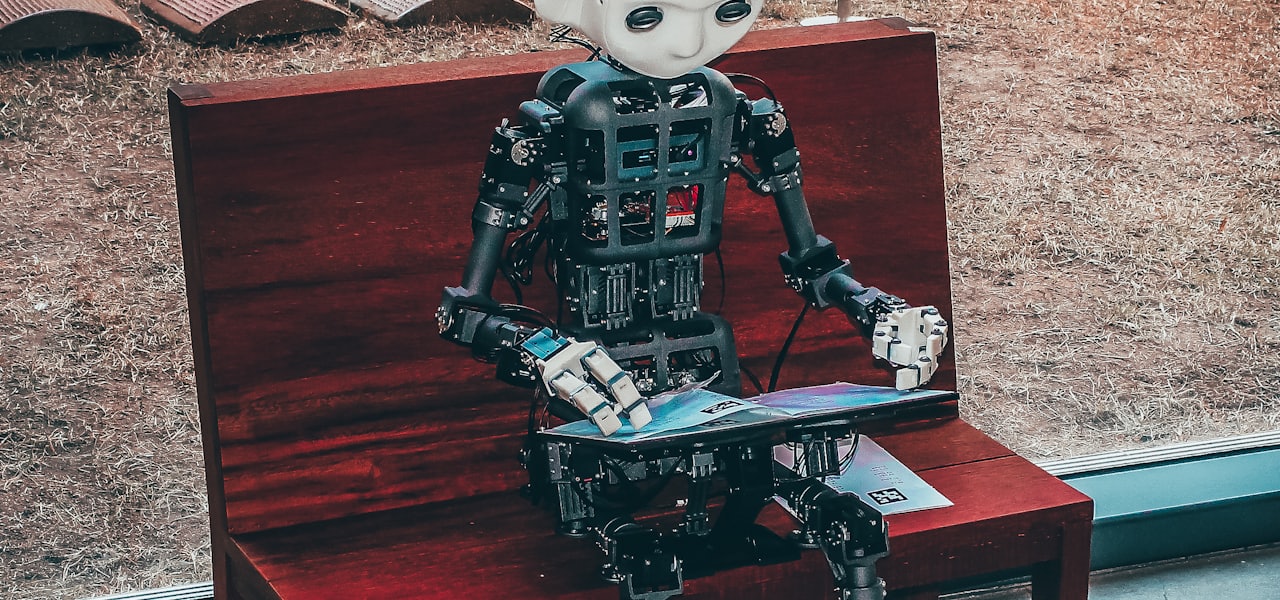
The Old Axolotl (Polish: Starość aksolotla) is a 2015 digital-only novel by Polish science-fiction author Jacek Dukaj. The novel was released in Polish on March 10, 2015, and shortly afterward, on March 24 that year, in English (translated by Stanley Bill). It has been described as "an experiment in reading (and creating) the electronic literature of the future". It is Dukaj's first novel to be published in English, though several of his short stories (The Golden Galley, 1996, The Iron General, 2010, The Apocrypha of Lem, 2011) have been translated prior to this. The novel has inspired two Netflix original series: the 2020 Belgian Into the Night, and its 2022 Turkish language spin-off Yakamoz S-245. == Plot == The novel presents a post-apocalyptic, cyberpunk vision of Earth where biological life has been wiped out, inhabited by robots and mechs, many of which are humans whose consciousness has been digitized in the wake of an extinction event. == Significance and analysis == The novel is an example of electronic literature, available only in digital formats, and has no traditional paper version. It was designed from the beginning not only to incorporate more traditional elements such as illustrations, but also hypertext, and 3D-printable models of main robotic characters designed by Alex Jaeger, the art director of Transformers films. The novel composition is layered, with the narrative layer, an encyclopedic/hyperlinked footnote layer, and a multimedia layer, including illustrations and a short promotional video by the Oscar-nominated Platige Image studio. One of the novel's central questions is: "What does it mean to be human?" Other subjects include post humanism and other "staples of cyberpunk and related genres, such as the artificial intelligence". The novel is representative of Dukaj's prose, posing philosophical questions about the future of man and technology. The author explained that: "stories such as The Old Axolotl that model an ‘escape from the body’ are born out of a sense of progress as a process of ‘de-animalising’ human beings through science. This has its origin in the pre-Enlightenment intuition of ‘liberation from nature’. For one of the last shackles of nature is corporeality itself, the limitations of our physicality." The other major element of the novel is Dukaj's attempts to introduce the reader to the new style of electronic literature. The novel was nominated for the 2016 Janusz A. Zajdel Award.
Visual Expert
Visual Expert is a static code analysis tool, extracting design and technical information from software source code by reverse-engineering, used by programmers for software maintenance, modernization or optimization. It is designed to parse several programming languages at the same time (PL/SQL, Transact-SQL, PowerBuilder...) and analyze cross-language dependencies, in addition to each language's source code. Visual Expert checks source code against hundreds of code inspection rules for vulnerability assessment, bug fix, and maintenance issues. == Features == Cross-references exploration: Impact Analysis, E/R diagrams, call graphs, CRUD matrix, dependency graphs. Software documentation: a documentation generator produces technical documentation and low-level design descriptions. Inspect the code to detect bugs, security vulnerabilities and maintainability issues. Native integration with Jenkins. Reports on duplicate code, unused objects and methods and naming conventions. Calculates software metrics and source lines of code. Code comparison: finds differences between several versions of the same code. Performance analysis: identifies code parts that slow down the application because of their syntax - it extracts statistics about code execution from the database and combines it with the static analysis of the code. == Usage == Visual Expert is used in several contexts: Change impact analysis: evaluating the consequences of a change in the code or in a database. Avoiding negative side effects when evolving a system. Static Application Security Testing (SAST): detecting and removing security issues. Continuous Integration / Continuous Inspection : adding a static code analysis job in a CI/CD workflow to automatically verify the quality and security of a new build when it is released. Program comprehension: helping programmers understand and maintain existing code, or modernize legacy systems. Transferring knowledge of the code, from one programmer to another. Software sizing: calculating the size of an application, or a piece of code, in order to estimate development efforts. Code review: improving the code by finding and removing code smells, dead code, code causing poor performances or violations of coding conventions. == Limitations == As a static code analyzer, Visual Expert is limited to the programming languages supported by its code parsers - Oracle PL/SQL, SQL Server Transact-SQL, PowerBuilder. A preliminary reverse engineering is required. Visual Expert does it automatically, but its duration depends on the size of the code parsed. Users must wait for the parsing completion prior to using the features, or schedule it in advance. They must also allocate sufficient hardware resources to support their volume of code. Visual Expert is based on a client/server architecture: the code analysis is running on a Windows PC - preferably a server. The information extracted from the code is stored in a RDBMS, communicating with a client application installed on the programmer's computer - no web client is available. This requires that the code, the parsers, the RDBMS and the programmers’ computers are connected to the same LAN or VPN. == History == 1995- 1998 - Prog and Doc - Initial version distributed on the French market 2001 - Visual Expert 4.5 2003 - Visual Expert 5 2007 - Visual Expert 5.7 2010 - Visual Expert 6.0 2015 - Visual Expert 2015 - Server component added to schedule code analyses 2016 - Visual Expert 2016 - Oracle PL/SQL code parser, code inventory (lines of code, number of objects…) 2017 - Visual Expert 2017 - SQL Server T-SQL code parser, Code comparison, CRUD matrix 2018 - Visual Expert 2018 - DB Code Performance Analysis, integration with TFS 2019 - Visual Expert 2019 - Generation of E/R diagrams from the code 2020 - Visual Expert 2020 - Object dependency matrix, naming consistency verification, integration with GIT and SVN 2021 - Visual Expert 2021 - Continuous Code Inspection, integration with Jenkins 2022 - Visual Expert 2022 - Support for cloud-based repositories and large volumes of code 2023 - Visual Expert 2023 - Performance tuning for PowerBuilder 2024 - Visual Expert 2024 - New web UI to simplify deployment and use among large teams. 2025 - Visual Expert 2025 - AI-based features to explain code, generate comments, and optimize queries
Fyuse
Fyuse is a spatial photography app which lets users capture and share interactive 3D images. By tilting or swiping one's smartphone, one can view such "fyuses" from various angles — as if one were walking around an object or subject. The app blends photography and video to create an interactive medium and was first published for iOS in April 2014. The Android version was released at the end of 2014. == The app == Fyuse lets users capture panoramas, selfies, and full 360° views of objects and allows one to view captured moments from different angles. It has its own personal gallery, social network and standalone web integration. With the app, Fyusion also created a social networking platform similar to Instagram. Fyuses can be shared, commented on, liked and re-shared to one's followers (called Echoes). One can build a network of followers and with engagement tracking, one can see how many times an image has been interacted with The images can also be saved for private, offline view, or shared to other social networks, like Facebook or Twitter, or embedded on a website where the images can be interacted with by desktop users via dragging the mouse. Furthermore, in the compass tab other fyuses can be discovered using the app's system of tags and categories. One's Fyuse feed is prepopulated with top users, and one can follow people to see when they post a new fyuse. The app will also find one's friends if one signs up with Facebook or connects it with one's Twitter account. To create a fyuse one moves around a person or object with one's phone's camera in one direction or moving/tilting one's phone around while holding one's finger on the screen. By combining photography and video the app allows one to capture moments that one may not have otherwise been able to capture by recording not one moment in time but stitched together little moments. According to Fyusion CEO Radu Rusu, a photo freezes a moment in time, while a video captures moments in a linear timeline — both still flat, when viewed. A fyuse image captures a moment in space, where one can not only see one side of something, but also around it. When it is done rendering, fyuses can also be edited – one can trim the fyuse for length and edit the brightness, contrast, exposure, saturation and sharpness. One can also add a vignette and apply a filters, with options to adjust their intensity. After editing, one can write a description, add hashtags, and tag parts of the fyuse before one can (voluntarily) publish and share it. Version 1.0 has been described as "alpha prototype" and version 2.0 was released on 17 December 2014. Version 3.0 introduced 3D tagging by which users can layer 3D graphic that animate accordingly with each interaction to add some context to the content. Version 4.0 was released on December 21, 2016 for iOS. Since January 2016 (v3.2) the app allows the export of fyuses as Live Photos. The app has also been described as a more sophisticated version of 3D stickers and flip images. == Applications == The app has many applications for e-commerce such as for fashion designers who want to showcase a garment from every angle, or real estate listings and Airbnb-type sites that want to make their rental properties seem as enticing as possible. The app can also be used for interactive art, 360° panoramas and selfies. == History == San Francisco-based Fyusion Inc.'s three founders — Radu B. Rusu, CTO Stefan Holzer, and VP of Engineering Stephen Miller — worked together at Willow Garage, the robotics research lab started by early Google employee Scott Hassan in the area of "personal robotics" — Hassan decided to turn the lab into more of an incubator, suggesting that the members spin off their technologies into consumer-facing enterprises. Rusu first set out with an open-source 3D perception software startup called Open Perception. Fyusion was officially founded in 2013, and soon after Rusu and his cofounders patented the technology for spatial photography. The company closed a seed funding round at the end of May, raising $3.35 million from investors, including an angel investment from Sun Microsystems cofounder Andreas Bechtolsheim. In 2014 the Fyuse team consisted of 13 employees, mostly engineers and designers, recruited from around the globe. In March 2015 the team displayed their app at Katy Perry's premiere for the movie "Prismatic World Tour on Epix" where Perry also took Fyuse for a test run. == Augmented reality == In September 2016 Fyusion unveiled its platform for creating augmented reality content using ones smartphone. It takes the images from ones smartphone and converts them into 3D holographic images, which one can then view on an AR headset. According to Rusu "by making it easy for people to capture their surroundings on any mobile device, [Fyusion is] revolutionizing the way that people view the world around them" and also states that for "AR to be successful, anyone should be able to create content for it" opposed to the current "small number of content creators and an even smaller number of hardware players". According to him "the applications of [Fyusion's] technology for consumers and businesses are incredibly limitless". The platform uses the company's patented 3D spatio-temporal platform that uses advanced sensor fusion, machine learning and computer vision algorithms and part of the platform is built into the Fyuse app. Before committing to releasing a separate consumer product the company intends to wait until the HoloLens device becomes available to the public. Until then any Fyuse representation created using Fyuse is AR ready and will be able to be shown in HoloLens in the future. == Fyuse - Point of No Return == Fyuse - Point of No Return is a science fiction short advert for Fyuse 3.0 in which Fyuse's digital medium is extrapolated into the future. In the film a woman uses a mini scanning-drone to 3D scan a tree with Fyuse and later recreate it as an augmented reality object at another place.
Tresorit
Tresorit is a Swiss company providing end-to-end encrypted cloud storage and secure content collaboration services. Founded in 2011, the company primarily serves businesses and organizations with elevated data protection and compliance requirements. Since 2021, Tresorit has been part of Swiss Post's digital business services, which, under the name 'Swiss Post Digital' offer secure communication platforms and connectable software solutions for SMEs, public authorities, and the healthcare sector, among others. == History == Tresorit was founded in 2011 by Hungarian software developers Istvan Lam, Szilveszter Szebeni and Gyorgy Szilagyi with the aim of providing a secure alternative to traditional cloud storage solutions. The company developed a cloud collaboration platform based on client-side end-to-end encryption and a zero-knowledge architecture. In its early years, Tresorit gained attention through a public security challenge inviting researchers to attempt to compromise its encryption system. The initiative received coverage in technology and cybersecurity media. The company initially positioned itself as a secure alternative to conventional cloud storage services and gradually expanded its offering toward enterprise-focused collaboration tools. In 2021, Swiss Post Communications Services acquired a majority stake in Tresorit. The company is now part of Swiss Post, and continues to operate independently within Swiss Post’s digital division, while benefiting from the broader infrastructure and institutional framework of its parent organization. Tresorit has offices in Zurich, Munich, and Budapest. == Products and Services == Tresorit provides a cloud-based platform for secure file storage and collaboration. Its services include encrypted file sharing, email encryption, electronic signatures, and encrypted data rooms for managing sensitive documents and workflows. The platform is available on Windows, macOS, Linux, Android, and iOS. == Technology == Tresorit uses client-side end-to-end encryption based on a zero-knowledge model. Files are encrypted on the user’s device before being uploaded to company servers. According to the company, encryption keys remain under user control, meaning that Tresorit and third parties cannot access the content of stored files. == Security challenge == Between 2013 and 2014, Tresorit organized a public challenge inviting security researchers to attempt to compromise the service's encryption implementation. The challenge received coverage in technology and cybersecurity media. == Acquisition by Swiss Post == In 2021, Swiss Post Communications Services acquired a majority stake in Tresorit as part of Swiss Post’s broader digital services strategy. The company is now part of Swiss Post. == Reception == Tresorit has been covered by international technology and business publications in the context of secure cloud storage and encrypted collaboration services. TechCrunch described the company as an early European provider of end-to-end encrypted cloud services, while The New York Times included it in discussions of secure file-sharing tools. Other publications such as TechRadar and ITPro have reviewed Tresorit in the context of enterprise security and confidential data handling.
List of video editing software
The following is a list of video editing software. The criterion for inclusion in this list is the ability to perform non-linear video editing. Most modern transcoding software supports transcoding a portion of a video clip, which would count as cropping and trimming. However, items in this article have one of the following conditions: Can perform other non-linear video editing function such as montage or compositing Can do the trimming or cropping without transcoding == Free (libre) or open-source == The software listed in this section is either free software or open source, and may or may not be commercial. === Active and stable === === Inactive === == Proprietary (non-commercial) == The software listed in this section is proprietary, and freeware or freemium. === Active === === Discontinued === == Proprietary (commercial) == The software listed in this section is proprietary and commercial. === Active === === Discontinued ===
Adobe Presenter Video Express
Adobe Presenter Video Express is screencasting and video editing software developed by Adobe Systems. == Description == Adobe Presenter Video Express is primarily used as a software by video creators, to record and mix webcam and screen video feeds. It allows users to simultaneously record video from their webcam and the screen, and easily mix the 2 tracks with a simple user interface. Users can change the background in their recorded video without needing equipment like a green screen. This is unlike other video tools which rely on chroma keying technology, and only work with green or blue screens. They can also add annotations and quizzes to their content and publish the video to MP4 or HTML5 formats. == List of notable features == === Record and mix, screen and webcam === Support for simultaneous recording of screen and webcam video feeds, with a simple editing interface to mix the two video streams. This lets the author rapidly create screencasts, software demos, etc. === Make my background awesome === This feature allows authors to change the background of their webcam recording without needing a green screen, provided they use a solid-colored backdrop which contrasts well against them. Authors can select images, videos or even the screen recording as their background. === In-video quizzing === Authors can insert quizzes within their video content. On success/failure attempts, the author can decide what message to display, and can also configure the video to jump to a certain point and play. Quizzes are published as part of the interactive HTML 5 player, which cannot be hosted on YouTube and Vimeo. === LMS Reporting === Authors can publish to any SCORM compliant LMS (Learning Management System) for quiz reporting, or to Adobe Captivate Prime. === In-app assets and branding === Adobe Presenter Video Express ships with a large number of branding videos, backgrounds and video filters to help authors create studio quality videos. === MP4 and HTML5 Output === The tool publishes a single MP4 video file containing all the video content, within an HTML 5 wrapper that contains the interactive player. The interactive HTML 5 player can be hosted on any website. == Common uses == === Screencasting === Screencasting is the process of recording one's computer screen as a video, usually with an audio voice over, to create a software demonstration, tutorial, presentation, etc. Adobe Presenter Video Express supports simultaneous recording of full screen video and microphone audio for creating screencasts. === Product marketing and demos === The ability to record the webcam video in addition to everything that is visible on the screen in Adobe Presenter Video Express, allows the author to add their personality to their screencasts. Features like video mixing and 'make my background awesome' further enhance the presentation, allowing effortless creation of marketing and demo videos. === Education === Adobe Presenter Video Express supports in-video quizzes and LMS reporting, along with screencasting and webcam recording. These features make it a powerful tool for creating educational content. == Differences from Adobe Presenter and Adobe Captivate == Adobe Presenter is a Microsoft PowerPoint plug-in for converting PowerPoint slides into interactive eLearning content, available only on Windows. Starting with Adobe Presenter 8, the video creation tool Adobe Presenter Video Express was bundled with every purchase of Adobe Presenter. From September 2015, Adobe Presenter Video Express 11 was also made available as a stand-alone product on Windows and Mac. A subscription license for Adobe Presenter Video Express, valid on Windows and Mac, is available for $9.99/month. Adobe Presenter Video Express continues to be bundled with purchases of Adobe Presenter on Windows as well. Adobe Captivate is an authoring tool for creating numerous forms of interactive eLearning content. Unlike Adobe Presenter, it uses a proprietary editing interface instead of Microsoft PowerPoint. While it is possible to create screen captures with Adobe Captivate, you cannot record the webcam feed. Adobe Captivate does not bundle Adobe Presenter or Adobe Presenter Video Express.
Scene statistics
Scene statistics is a discipline within the field of perception. It is concerned with the statistical regularities related to scenes. It is based on the premise that a perceptual system is designed to interpret scenes. Biological perceptual systems have evolved in response to physical properties of natural environments. Therefore natural scenes receive a great deal of attention. Natural scene statistics are useful for defining the behavior of an ideal observer in a natural task, typically by incorporating signal detection theory, information theory or estimation theory. == Within-domain versus across-domain == Geisler (2008) distinguishes between four kinds of domains: (1) Physical environments (2) Images/Scenes (3) Neural responses and (4) Behavior. Within the domain of images/scenes one can study the characteristics of information related to redundancy and efficient coding. Across-domain statistics determine how an autonomous system should make inferences about its environment, process information and control its behavior. To study these statistics it is necessary to sample or register information in multiple domains simultaneously. == Applications == === Prediction of picture and video quality === One of the most successful applications of Natural Scenes Statistics Models has been perceptual picture and video quality prediction. For example, the Visual Information Fidelity (VIF) algorithm, which is used to measure the degree of distortion of pictures and videos, is used extensively by the image and video processing communities to assess perceptual quality. This is often after processing, such as compression, which can degrade the appearance of a visual signal. The premise is that the scene statistics are changed by distortion and that the visual system is sensitive to the changes in the scene statistics. VIF is heavily used in the streaming television industry. Other popular picture quality models that use natural scene statistics include BRISQUE and NIQE, both of which are no-reference since they do not require any reference picture to measure quality against.